B2B BUYER’S GUIDE
Motherboard BIOS Validation for B2B PC Programs: A Release Workflow
A reproducible firmware release matters more than a successful boot on one sample. Qualify the board, processor, memory, operating system and recovery route together.
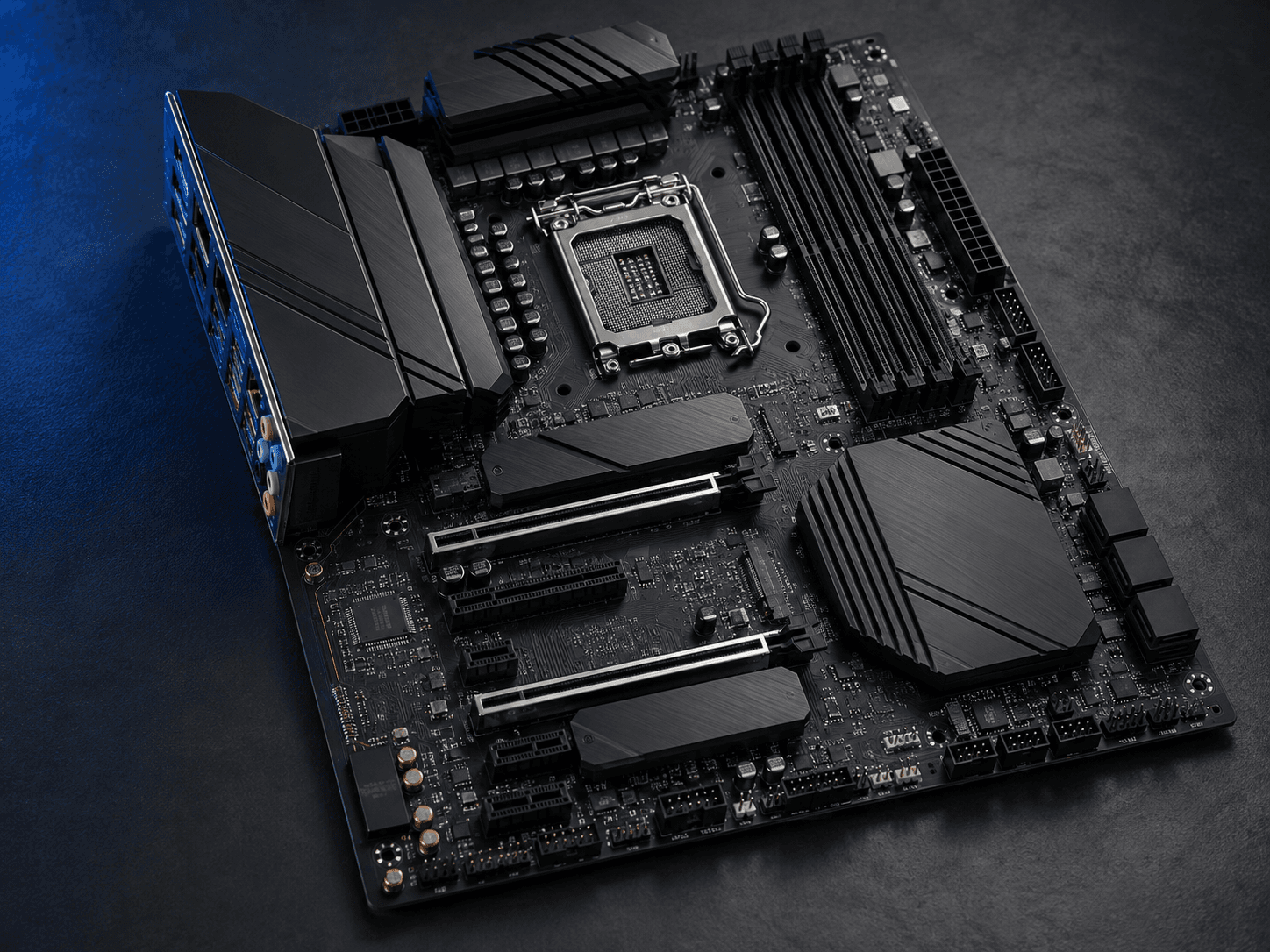
Editorial illustration. Not a photograph of an actual Hekut test or shipment.
Introduction: BIOS approval is a configuration decision
A motherboard BIOS validation program should prove that a specific firmware release works with the exact hardware and software a buyer intends to ship. The useful output is an approved configuration with reproducible settings, test records and a recovery plan. A screenshot showing that one sample entered the setup menu is only an early checkpoint. It cannot establish memory stability, unattended installation behavior, restart reliability or compatibility with a different processor stepping.
For distributors and system integrators, the commercial consequences are easy to recognize. A board that needs an unexpected update can interrupt installation preparation, while an unrecorded setup change can make two nominally identical computers behave differently. This guide explains how to organize firmware qualification before volume purchasing. The procedures below are recommendations for building a buyer acceptance plan, not a claim that a particular Hekut product has passed a named test or received an unverified certification.
Define the exact motherboard platform before downloading firmware
Start with the full motherboard part number, printed PCB revision, chipset, processor model and intended memory kit. Similar marketing names do not establish that two boards use the same firmware image. Record installed memory capacity, module count, drive interfaces, graphics configuration, expansion cards and front-panel connections. A procurement spreadsheet should distinguish a board family from the released SKU; otherwise a harmless-looking substitution may invalidate the sample evidence.
Then record the operating system edition, installation image, boot mode and security requirements. An office deployment managed through a corporate image has different acceptance needs from a gaming PC sold with customer-adjustable memory profiles. Define which settings the assembler may change and which require engineering approval. Use the motherboard product discussion to turn these requirements into a sourcing brief rather than assuming that socket compatibility describes the entire platform.
Check processor support and the minimum firmware release
Read the selected board vendor's CPU support list and note the minimum BIOS release for the exact processor. A shared socket is not a complete support statement. If stock can arrive with older firmware, decide how the assembler will update it before installing a processor that depends on a newer release. Some models provide a supported update method without a working CPU; other models require a compatible processor. Verify the actual motherboard manual instead of transferring instructions from another series.
ASUS documents a model-specific process for finding CPU and memory qualified vendor lists, and separately explains that a supported new-generation processor can require a BIOS update. Those resources illustrate the evidence buyers should request from whichever vendor supplies their selected board. Archive the relevant support page or release record with a date, then identify the approved firmware file. Keep the vendor support statement separate from your own system-level tests: each answers a different question.
Control the firmware state of service replacement boards
A replacement motherboard may arrive with a firmware release different from the one originally deployed. Decide how the service team will identify and assess that state before installation. The replacement needs to support the installed processor and memory, but it also needs to work with the customer's deployment settings and storage environment. Provide the technician with the approved release information and a supported route for handling a newer or older board. Do not assume that the manufacturing date reveals the installed firmware accurately.
If the old motherboard still works sufficiently to document settings, capture the relevant configuration before removal. Keep security-related recovery information under the customer's established controls, and avoid transferring settings blindly across unlike boards. After replacement, verify startup, device recognition and the deployment requirements that matter to the application. Record the new board identity and firmware release in the service history. This closes a gap that purchasing specifications often miss: the original volume shipment may be consistent while field replacements slowly introduce undocumented combinations. An agreed replacement procedure keeps that change visible and gives support staff a useful starting point if behavior differs after a repair.
Build a small but meaningful validation matrix
A useful matrix covers the configurations you will actually purchase, plus planned alternatives that could appear in production. Do not test every conceivable memory module while leaving the released configuration poorly documented. Group combinations by processor, module topology, storage interface and graphics path. If an alternate memory kit has a different part number, treat it as an explicit alternate rather than calling it equivalent because the capacity and advertised speed match.
An illustrative office program might qualify one processor, a two-module memory kit, an NVMe boot drive and integrated graphics. Its second configuration could use a discrete graphics card and a different approved drive. These are examples of how to separate combinations, not a prescribed universal test scope. For each row, assign a serial number, firmware release, settings profile and result owner. Failed rows should remain visible until disposition; deleting them makes the qualification package less useful.
| Matrix item | Record before testing | Acceptance question |
|---|---|---|
| Processor and firmware | Exact CPU and approved BIOS revision | Does this released pairing initialize and operate correctly? |
| Memory population | Kit part number, count and configured profile | Does the actual installed arrangement remain stable? |
| Boot and storage | Drive model, controller mode and OS image | Can installation and repeated boot complete? |
| Recovery and servicing | Documented recovery method and permissions | Can authorized staff restore an approved configuration? |
Separate default behavior from optional performance profiles
Begin with documented baseline settings before enabling optional memory profiles or tuning. This makes an early fault easier to isolate and prevents a successful overclocked demonstration from becoming an accidental production requirement. Record the configured memory data rate, voltage policy and relevant power limits from the actual system. Profile names such as XMP or EXPO identify configuration mechanisms; they do not guarantee that every processor, module population and board combination will pass the buyer's workload.
If a customer explicitly requests a performance profile, validate that as a separate released state. Specify whether the assembler must load defaults first, which options are changed afterward and how the resulting configuration is verified. A screenshot can help, but a settings checklist should remain readable without proprietary tools. Avoid importing a saved setup profile across unsupported firmware revisions or unlike boards. Recreate and verify the settings using the selected vendor's supported procedure.
Include full memory population in the sample plan
A two-module sample does not establish the behavior of a four-module production build. Memory training, allowable data rates and startup timing can depend on processor and board topology. If the approved configuration changes capacity or population, reassess that row of the matrix. The acceptance question is whether the released system meets its requirements, not whether a benchmark score resembles an online result from different hardware.
Validate installation, boot cycles and power transitions
Test the complete operating system installation path with the image and tools used by the deployment team. Confirm that the intended storage device is visible, the correct boot entry persists and the system can restart after driver installation. If production uses network boot or a removable installation drive, include that route. A motherboard that works after a technician manually selects the boot device may still fail an unattended deployment requirement.
Exercise shutdown, restart, cold startup and the sleep states relevant to the intended operating system. Define repeat counts and observation periods in the buyer's test plan rather than presenting an arbitrary number as an industry guarantee. Log failed attempts, unexpected setup resets, clock changes and peripheral disappearance. A cold-start issue that occurs once in a planned series remains a finding even if the next attempt succeeds. Record environmental and power conditions sufficiently well that another technician can reproduce the sequence.
Check the interfaces and security settings the customer uses
Inventory the actual rear and internal interfaces: network, USB, audio, storage, display outputs, fan headers and additional expansion devices. Verify the ports used in the final product application, including front-panel connections through the selected chassis. Testing only a rear USB port does not validate a front-panel cable assembly. Where PCIe or storage resources are shared, consult the motherboard manual and test the populated configuration instead of relying on connector count.
Security settings need the same precision. State whether the deployment requires Secure Boot, a firmware TPM or a discrete module, and record how those settings interact with the installation image. Do not clear security state on a customer system casually; coordinate recovery information with its owner. Firmware updates and setup resets can change the deployment environment. The release checklist should therefore include post-update verification, not merely evidence that the update utility reported success.
Design update, rollback and recovery as separate workflows
Use the vendor's instructions for the exact motherboard and firmware revision, including file preparation and power requirements. Keep the approved image in a controlled location with its source, version and integrity information. Do not rename a file or use a flash utility because a video demonstrated that procedure on another board. Assign authorized operators and define what happens if an update fails before the system returns to a working state.
Rollback is not automatically available. Some releases restrict downgrade paths or change associated firmware components. Obtain the vendor's supported recovery and rollback guidance before making that capability a sales promise. For a volume order, decide whether supplier-side flashing or buyer-side flashing creates the clearest control. Whichever party performs it should provide the release identifier and final verification result. The contract should distinguish a firmware programming service from full system qualification.
Keep production flash media under version control
Label removable media and work instructions with the release identifier, and withdraw superseded copies from assembly stations. A common operational weakness is an old flash drive remaining beside a newer checklist. Record the station software version where automation is used. If a reflash is required during rework, repeat the post-flash checks and preserve both the original failure record and the final disposition.
Turn test results into a release packet and change process
The release packet should contain the configuration matrix, firmware source, approved settings, test procedure, observed results and unresolved limitations. Identify who approves shipment and which deviations need customer agreement. A concise document with serial-linked evidence is more useful than an impressive folder of unlabeled screenshots. Include enough information for receiving inspection to confirm that the delivered boards match the qualified release.
An illustrative change might replace the boot SSD while leaving the board unchanged. The correct response is a targeted assessment of storage initialization, OS deployment and power transitions, followed by any broader checks justified by the finding. A processor substitution or memory topology change can require a larger retest. Classify changes according to their effect on the released system, and ask suppliers to notify the buyer before substituting board revisions, controllers or firmware during a scheduled program.
Prepare a firmware RFQ that suppliers can answer
Send the supplier the exact motherboard requirement, processor list, memory arrangement, OS deployment method, requested firmware release and volume schedule. Ask whether the quoted boards can be delivered with that release and what evidence will accompany programming. If BIOS branding, default settings or other customization is requested, separate feasibility review, development work, validation responsibility and ownership of update support. A generic request for a custom BIOS leaves too many assumptions unresolved.
Also define the service model after delivery. Who handles a security advisory, a field compatibility issue or a replacement board with newer firmware? What information must a return include? Request board serial, BIOS revision, error stage and the smallest reproducing configuration. These details make a support escalation actionable. Buyers can send a configuration brief to Hekut or email info@Hekut.com to discuss a motherboard sourcing requirement involving Hekut's Shenzhen, 8,000 m² factory.
Investigate a failed validation without losing the evidence
When a test fails, preserve the original configuration before changing several variables at once. Record whether the failure happened before display initialization, during memory training, at storage detection or after the operating system started. Capture diagnostic indicators using the motherboard manual, and note whether the same symptom follows a cold start or a warm restart. This stage description gives the supplier a useful starting point and helps separate a firmware issue from a connection or component problem.
An illustrative investigation could begin with a system that restarts correctly but occasionally fails after AC power has been removed. First repeat the defined sequence on the unchanged configuration. Then evaluate one controlled change, such as the approved baseline memory setting, and record the result. If the symptom changes, retain both records. Do not describe the problem as solved merely because a technician performed several substitutions and the machine happened to boot afterward. The release owner needs to understand which configuration was ultimately accepted.
Keep failed samples identifiable and prevent their accidental return to the shipment lot. Agree whether the supplier needs the complete system, a minimal reproducing set of components or a structured log package. Where confidential customer images are involved, create an appropriate reproduction environment before transferring files. After a corrective action, rerun the failed sequence and the surrounding regression checks affected by that action. A new BIOS might resolve one symptom while changing a setting that the deployment process relies on.
Close the issue with a clear disposition: configuration rejected, rework accepted, vendor correction pending or customer-approved limitation. Link that disposition to the release packet and purchasing record. This makes later orders more consistent, particularly when a distributor reorders the same board family months after the first sample was evaluated. The value comes from disciplined observations and controlled decisions, rather than a claim that any finite test can prove the absence of every possible firmware defect.
Frequently asked questions about motherboard BIOS qualification
Should every shipment use the newest BIOS?
Use an approved release that meets the program's support and security requirements. Review newer releases and advisories, then qualify the changes that affect the delivered configuration. A fixed version without a review process can become unsuitable, while an uncontrolled update can invalidate previous acceptance evidence. Document both the approved version and the decision process.
Does a memory QVL remove the need for system testing?
No. A vendor list is useful evidence about specified combinations, but your actual processor, module count, firmware settings and workload still matter. Preserve the exact kit identifier and test the production arrangement. Absence from a list should lead to a qualification discussion rather than an invented claim of guaranteed incompatibility.
How many boards should an OEM buyer test?
Choose sample size from program risk, configuration variation, lot structure and contractual acceptance requirements. There is no single quantity that proves every motherboard program. Separate engineering qualification from shipment sampling: one establishes a design configuration, while the other checks whether delivered units conform to the agreed release.
Can a BIOS update fix every no-boot problem?
No. Incorrect power connections, damaged sockets, unsupported memory arrangements and installation faults can produce similar symptoms. Follow the board vendor's diagnostic procedure, identify the failing stage and use known-good components where appropriate. Confirm support and the available recovery method before attempting firmware programming.
What should factory testing records identify?
At minimum, identify the unit or sample, motherboard revision, firmware release, relevant hardware configuration, procedure revision, observed result and disposition. Add screenshots or logs when they answer a specific acceptance question. The record should let the receiving team relate a result to the actual configuration being delivered.
Conclusion: release a configuration that can be reproduced
Effective BIOS validation connects purchasing decisions with the system the customer will install. Start from exact part numbers, choose a supported firmware release, separate baseline and optional profiles, and validate deployment, interfaces and recovery. Then preserve the evidence in a release packet that remains useful when a component changes or a replacement board arrives.
Before approving a volume order, ask whether another technician could reproduce the accepted configuration from your instructions alone. If the answer depends on informal memory or a single demonstration machine, close that gap during sample evaluation. Send Hekut your motherboard specification, target software environment and validation expectations to begin a practical sourcing conversation and agree which checks belong in the quotation.