B2B BUYER’S GUIDE
Air Cooling vs AIO for OEM PCs: How B2B Buyers Should Decide
Choose air or AIO cooling around the processor's operating conditions, the chassis and the customer's service expectations, then validate the complete system.
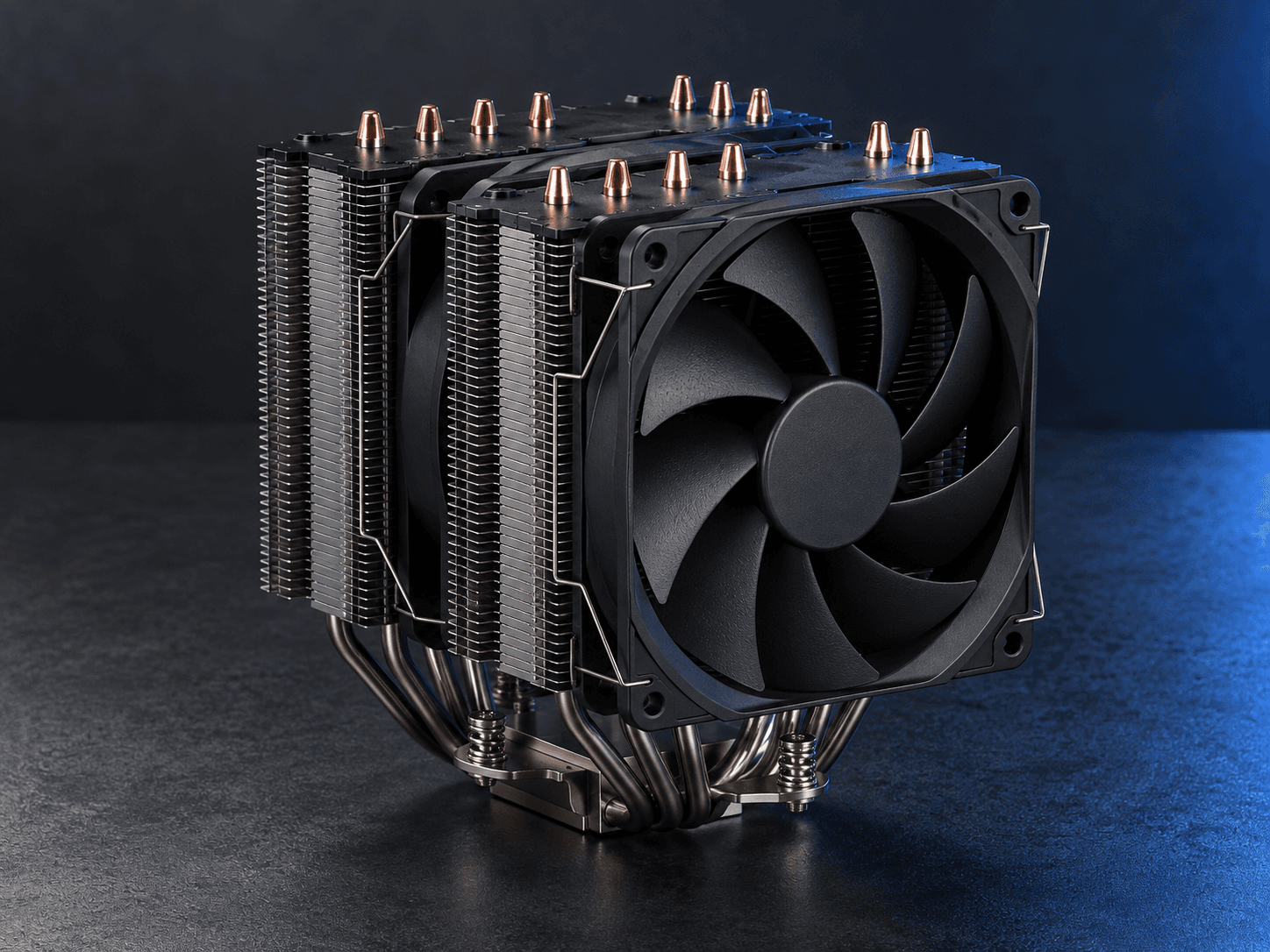
Editorial illustration. Not a photograph of an actual Hekut test or shipment.
Introduction: is liquid cooling always better?
Liquid cooling is not automatically the better choice for an OEM PC. A suitable air cooler can be practical, quiet and straightforward to service in one system, while an appropriately selected AIO can address a different sustained workload or enclosure layout. The correct choice depends on the processor, configured power behavior, chassis, noise target and support model. Compare qualified systems rather than treating either category as a universal performance ranking.
This guide is for buyers planning desktop platforms, including workstations, branded systems and repeatable integrator builds. It explains how to choose an architecture and what to record before ordering production quantities. The examples are illustrative; they are not Hekut measurements or customer results. Hekut offers PC components from Shenzhen, and exact cooling specifications and supported configurations should be confirmed for the model and project under discussion.
Start with the processor and actual workload
Identify the exact processor, motherboard, firmware and intended operating settings. A marketing description such as high-performance CPU does not provide a thermal design target. Read the processor manufacturer's specifications and consider how the board configures power and boost behavior. Base power, short-term behavior and sustained workload can produce different cooling demands. Document the settings used for qualification so another assembly site can reproduce them.
Describe what customers will run: general office work, intermittent gaming, long rendering tasks or another sustained application. Include the surrounding ambient conditions and any restricted installation location. A short burst test and a prolonged compute workload answer different questions. The cooler should meet the customer's operating and acoustic requirements over the intended use, with an evaluation method appropriate to those requirements.
Avoid using a cooler's advertised TDP as a universal guarantee. Different suppliers may use different test methods and assumptions, and heat density and processor construction also matter. Request model-specific compatibility information and test evidence where available. Use a wattage category to screen candidates, then validate the actual platform instead of assuming equal numbers imply equal performance across brands.
Understand what each architecture adds to the system
A typical heatpipe air cooler transfers heat from the processor contact area to a fin stack, where a fan moves air through it. The heatsink occupies space around the socket and sends heat into the chassis airflow. An AIO moves heat through a sealed liquid loop to a radiator, adding a pump, hoses and radiator assembly. Individual product designs vary, so inspect the actual layout rather than relying only on the category name.
Neither architecture removes the need for case airflow. The graphics card, motherboard and storage still release heat, and a radiator exchanges heat with the air passing through it. Fan location and restriction affect the complete operating result. A cooler chosen only for the CPU can create a system-level compromise if it obstructs another intake or heats air used by nearby components.
For procurement, identify everything required to operate the cooler: mounting kit, fans, pump or fan connections, controllers, power leads, thermal interface material and instructions. Some products depend on software for selected functions. Decide whether that dependency is acceptable in the intended operating system and support environment. An attractive cooler assembly is incomplete if its control requirements are not compatible with the platform.
Compare fit as installed envelopes, not nominal sizes
Air-cooler fit includes socket support, mounting access, memory clearance, motherboard heatsinks and side-panel height. A front fan may need to move upward to clear tall RAM, increasing the installed height. The appropriate comparison is the cooler with the actual memory and fan position, not only the default height in a catalog. Check whether clips and connectors remain accessible after assembly.
An AIO requires room for the radiator's full outer outline, fan thickness, tanks, fittings and hose path. A nominal radiator size does not describe all these dimensions. Top mounting can conflict with memory, VRM heatsinks or CPU power cables. Front mounting can reduce graphics-card space and change the airflow path. Assemble the complete candidate layout before interpreting a case's radiator support statement as approval.
Also check installation order and future removal. If servicing the cooler requires removing a motherboard, graphics card and several inaccessible brackets, that work should be understood in the support plan. A larger enclosure may reduce those constraints, but it changes shipping and workspace requirements. Mechanical fit therefore belongs in the commercial comparison rather than being left until the final sample arrives.
Evaluate acoustics across idle and sustained operation
Compare cooling at an acceptable noise level, not only at maximum fan speed. A solution that reduces CPU temperature while creating unacceptable sound may fail the customer's requirements. Define the relevant operating states: desktop idle, a typical workload, sustained CPU load and any combined graphics workload. Record fan and pump control settings alongside temperatures so the result can be interpreted.
Air coolers and AIOs can have different sound characteristics. An AIO introduces pump behavior in addition to fan noise, while an air cooler's fan and fin arrangement can create its own tonal or airflow effects. Do not infer acoustic quality from fan count or radiator size. Listen for speed cycling, resonance and tonal sounds under the actual control settings.
Use a consistent measurement position and room method when comparing samples. If the room is not a formal acoustic laboratory, describe the result as an internal comparison with stated limitations. Measure the whole system where the customer experiences it. A low-noise cooler cannot compensate for an unrelated case fan or power supply that dominates sound during the same workload.
Plan controls and installation preparation
Map the motherboard headers, supported control modes and power requirements before approving either option. Confirm fan current limits, hub arrangements and tachometer reporting using the relevant documentation. For an AIO, identify the pump connection and the manufacturer-recommended control method. Do not connect unfamiliar proprietary plugs by appearance or assume a decorative lighting connector also powers the cooling motor.
Prepare a repeatable installation instruction covering mounting parts, sequence, thermal interface application and the removal of protective films. Follow the cooler's specific fastening guidance. Excess torque, mixed standoffs or an incorrect bracket can produce mechanical damage or inconsistent contact. Supply the tools and inspection points needed to make correct assembly routine rather than relying on one experienced technician.
For AIO orientation, determine the actual pump location and follow that product's guidance. Hose strain, radiator position and the behavior of air within the loop deserve attention. A useful production photograph shows both mechanical routing and electrical connections. Keep the instruction revision aligned with the accessory kit, because a later socket mounting update can make an old picture misleading.
Compare service needs and replacement strategy
A common air-cooler service scenario involves cleaning or replacing a fan while retaining the heatsink, where the design supports that operation. An AIO has additional components and may require replacement as an assembly depending on the fault and warranty terms. Do not generalize these scenarios into unsupported lifetime claims. Ask each supplier for model-specific support, warranty and replacement information.
For a fleet or OEM program, define who performs service and which spare parts are stocked. A local technician may need a readily available fan, bracket or complete cooler. A distributor may prefer replacement units to detailed component repair. These choices affect inventory and the information needed in manuals. Include availability of mounting kits when a processor socket changes.
Assess the customer impact of a fault. Can the system report a fan or pump failure? What behavior is expected if the motherboard loses a speed signal? Review these questions using the platform and cooler documentation, then verify the intended monitoring arrangement. Avoid promising fault detection that has not been implemented and checked in the actual configuration.
Build a total-cost comparison for the desktop program
The purchase price should be compared for a complete cooling solution, including fans, brackets, controllers, accessories and any required chassis changes. Add sample qualification, installation time and the agreed support arrangement. An AIO that requires a larger case or more assembly steps has a different program cost from its cooler-only quotation. An air cooler that complicates memory access can also create service costs.
Estimate assembly differences from a real sample build rather than assuming one architecture is always faster. Ask technicians to record installation steps, tool access and opportunities for error. Review whether supplied thermal material is preapplied or separately dispensed, and how the process will be controlled. Small procedural differences can matter when repeated across a production batch.
Include freight and packaging effects for complete systems. A large tower cooler and an installed radiator assembly create different transport considerations. The packaging decision should be evaluated for the actual completed computer rather than inferred from the empty case or cooler retail carton. Any claimed cost saving should be tied to measured dimensions, observed work or agreed commercial terms.
| Decision area | Air cooler questions | AIO questions |
|---|---|---|
| Mechanical fit | RAM, socket and side-panel clearance | Radiator envelope, hoses and fitting access |
| Controls | Fan headers, hub and speed behavior | Pump, fans, controller and power requirements |
| Assembly | Bracket sequence and fan clips | Radiator mounting and tube routing |
| Service | Fan replacement and heatsink access | Pump or loop fault handling and unit replacement |
| Program cost | Complete kit and installation time | Complete kit, case effects and support stock |
Qualify candidates with the same system and rules
Use the same processor, board, memory, graphics card, enclosure and workload when comparing candidate coolers. Record firmware, power settings, ambient temperature and fan controls. Keep panels and filters fitted as they will be in the delivered product. An open-bench result can help investigate a cooler, but it does not replace the closed-system evaluation needed for a production release.
Define acceptance before seeing the results. The system may need to avoid unacceptable throttling, meet workload performance and remain within the acoustic target under stated conditions. Relevant component limits come from their manufacturers. A single temperature number does not capture all of these outcomes. Save the logs and note any installation variation or test interruption.
If the first result is poor, troubleshoot systematically. Confirm mounting, thermal interface, protective film removal, fan direction and control settings. Then evaluate the airflow path and operating demand. Repeatedly replacing coolers without finding the cause can conceal an assembly or configuration problem. Document the final accepted arrangement so the fix becomes part of normal production rather than an isolated sample adjustment.
Illustrative example: workstation and office platforms diverge
Consider an illustrative buyer preparing two desktops with similar exterior styling. One is an office platform with modest sustained demand and a strict service budget. The other runs long rendering jobs and has a different processor power configuration. Choosing one cooler for both may simplify purchasing, but it should not precede an evaluation of the actual requirements.
The team qualifies an air-cooling candidate for the office platform and compares air and AIO candidates for the workstation. It uses the same acceptance method within each comparison, then records the selected chassis layout and controls. The workstation decision may favor either architecture depending on the actual results. The example does not assume that an AIO must win because the workload is heavier.
The final bill of materials identifies two approved configurations and the parts that can be shared. Purchasing retains the relevant differences instead of allowing a cooler substitution based on exterior similarity. This is a planning illustration, not a Hekut project report. Its value lies in separating platform requirements before using volume purchasing as a reason to standardize prematurely.
Preserve the decision across repeat orders
Tie approval to the cooler model, mounting kit, fans, controller and instructions. Request notification of changes that affect contact geometry, acoustics, controls or the installed envelope. A fan supplier change can matter even when the main heatsink or radiator is unchanged. Decide which checks must be repeated based on the effect of the change.
Shipment inspection should confirm identifiers, accessory completeness, visible condition and the agreed functional checks. For complete computers, include the approved installed arrangement and any transport supports. Keep packaging evaluation separate from thermal qualification so each record shows its actual scope. Both influence customer experience, but neither proves the other.
Provide useful customer instructions on ventilation, cleaning and service escalation. If software is required for selected functions, explain its role and supported environment. Avoid making maintenance or lifetime promises unsupported by the product documentation. A well-defined cooling platform is easier to purchase, build and support because the operating assumptions stay visible after the first sample is approved.
Frequently asked questions
Which choice should appear in the initial RFQ?
If the architecture is still open, state the processor, workload, case limits, acoustic priorities and target quantity. Ask for complete candidate configurations rather than an undefined high-TDP cooler. Tell the supplier whether service simplicity, appearance or sustained operation has priority when those requirements compete.
If the architecture is already fixed, include the actual model and mounting configuration, then identify which alternatives may be proposed. This lets a supplier suggest a useful substitute without silently changing the approved thermal or service assumptions. Confirm alternatives through the same sample qualification process before purchase.
Is an AIO always quieter than an air cooler?
No. Noise depends on fans, pump behavior, speed settings, chassis and workload. Compare complete systems at the intended operating points using a consistent acoustic method.
Can I match cooler TDP directly to processor TDP?
Treat those numbers as screening information. Methods and processor behavior differ, so use model-specific compatibility guidance and validate the actual platform and power settings.
Does an AIO remove the need for case fans?
No. The radiator and other components still depend on airflow. Graphics cards, motherboard components and storage also need an appropriate enclosure cooling route.
Can a taller air cooler solve every sustained-load problem?
No. Mounting quality, heat density, operating demand, fan behavior and case airflow all matter. Troubleshoot the configuration before assuming cooler size alone determines the result.
What should be retained after cooler approval?
Keep the exact kit identifiers, assembly instructions, control settings, system configuration and qualification evidence. Review relevant component or firmware changes before treating them as equivalent.
Conclusion and cooling requirements
Choose air or AIO cooling by evaluating the workload, fit, acoustics, assembly and service model together. Validate the intended configuration under controlled conditions, then record the parts and settings that produced the accepted result. This creates a repeatable purchasing decision without relying on category labels or unsupported wattage comparisons.
When several business units buy the same desktop, explain the selected cooling architecture in terms they can use. Purchasing needs the complete kit and approved substitutes; assembly needs the installation sequence and controls; support needs the replacement method and configuration record. Give each team access to the same released platform information. If one department changes a requirement, such as adding a lighting controller or replacing memory with a taller module, route that change through the compatibility review. This prevents a well-qualified first system from gradually becoming a different configuration through individually small decisions. The value of qualification continues only when the organization preserves its assumptions.
Send Hekut your processor, motherboard, chassis, workload and quantity to discuss cooling components for the program. Include service expectations and any fixed appearance requirements. A clear brief allows the quotation discussion to focus on the constraints that will determine whether the complete platform works.